Front-end
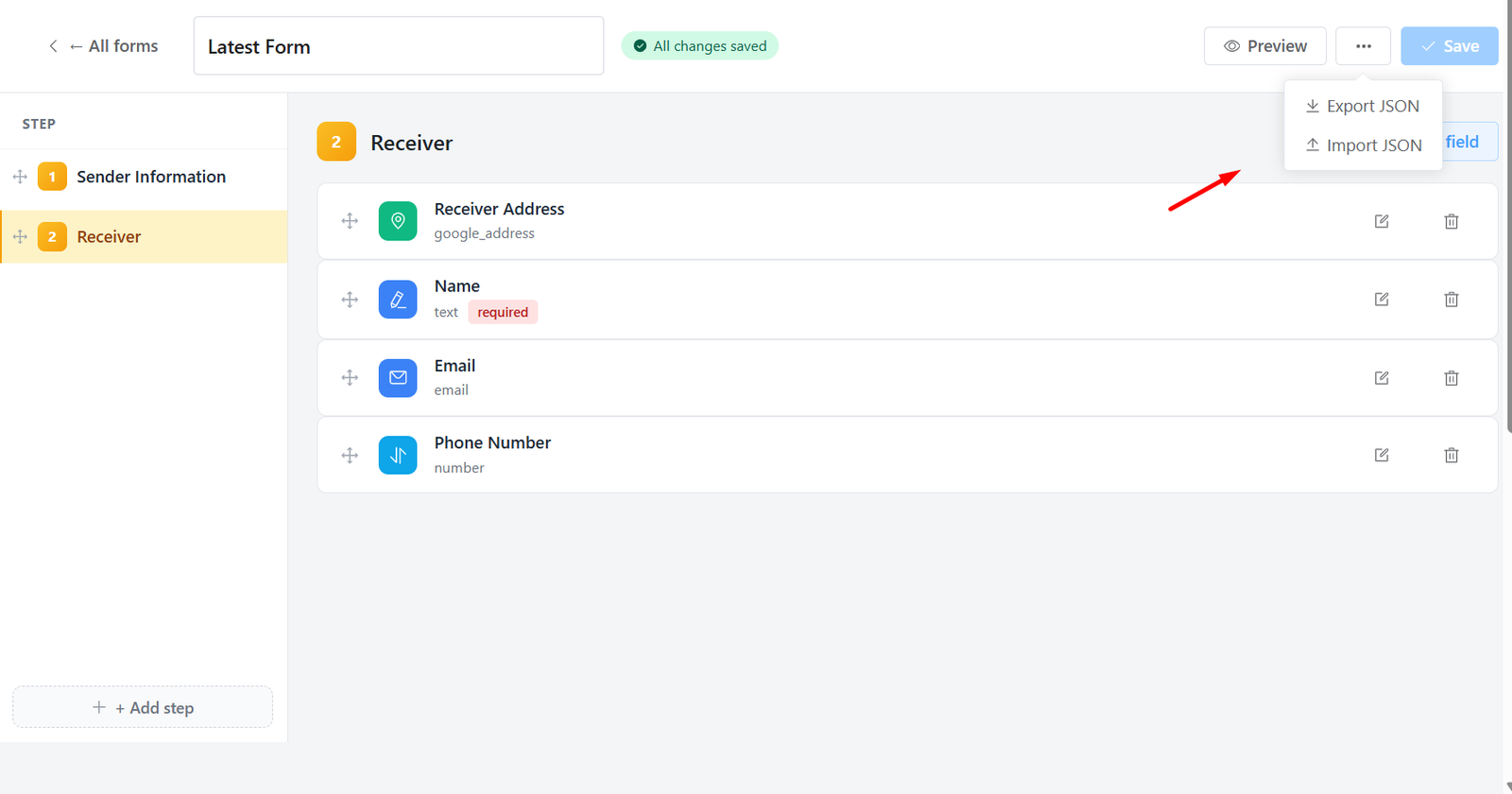
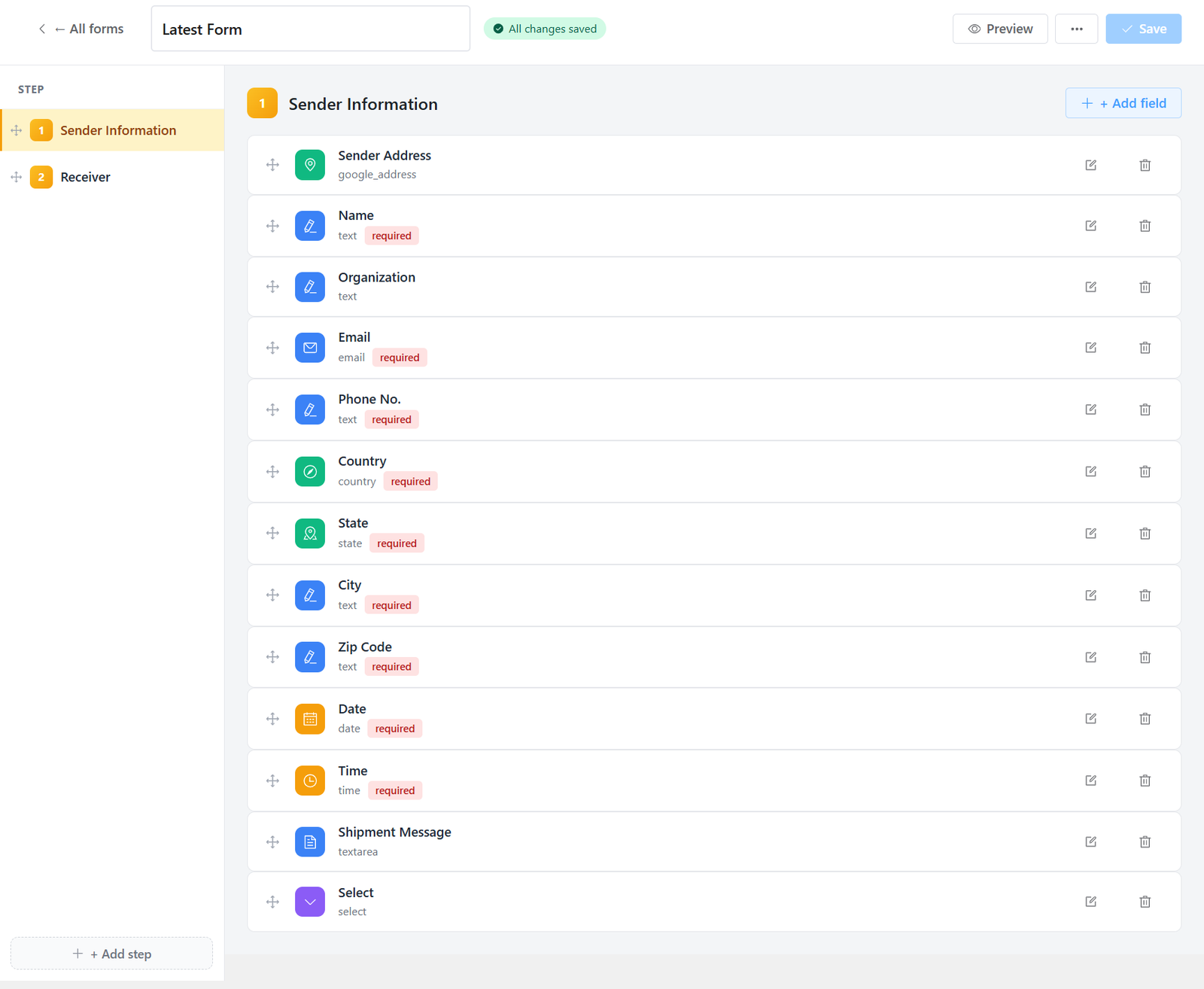
Design sender and receiver flows, required fields, and custom data stored on orders — duplicate forms, preview, and embed on your site without writing code.
Grouped field types
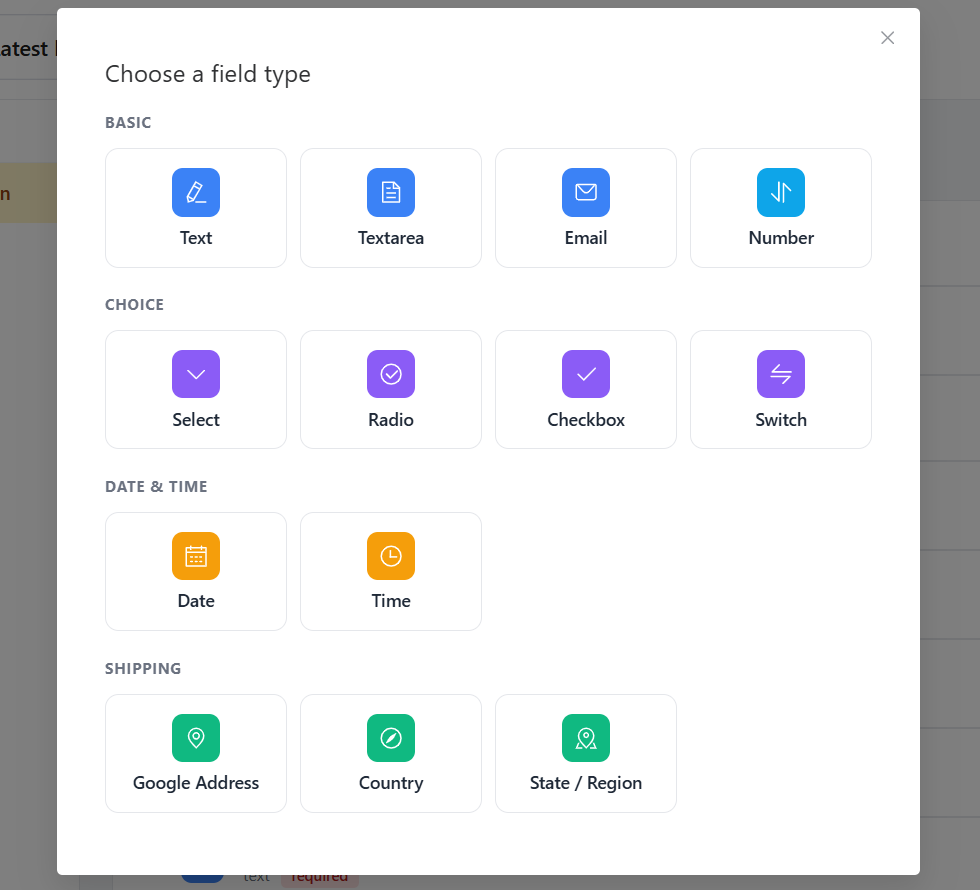
Click Add field on any step to open the type picker — a visual grid organized for logistics forms, not generic contact forms.
- Basic inputs: text, textarea, email, and number for labels, notes, and quantities.
- Choice controls: select, radio, checkbox, and switch for options and toggles.
- Date and time pickers for pickup windows and scheduled delivery.
- Shipping fields: Google Address with map autocomplete on pickup and delivery steps, plus country and state dropdowns that stay in sync with your address rules.
Import & export forms
Move whole booking forms between sites or keep a backup before big edits — from the editor menu, no database work required.
- Export saves your form layout as a file you can store or share.
- Import loads that file into the builder — review changes, then Save to apply on your site.
- Imported forms stay in draft until you confirm, with a reminder if you leave the page unsaved.
- Ideal for cloning a proven form from demo to production or sharing one setup across franchise sites.